Juwenalia festival app
35,000 users with a 4.9 rating
Introduction
I led the design team on the mobile app redesign for Juwenalia Krakowskie, the largest student festival in Kraków. This year 35 thousand people used it during the festival.
The old app had no design files at all, so everything was designed from scratch. I was accountable for the whole product life cycle, from research to hand-off.
Mobile appFrom scratchTesting & iteration
What wasn't working
Unused features, friction, style and branding
Key findings
Hidden schedule
Lack of key features
Needless friction
How I got there
Fundamental parts of my process in this project
What could fix it
Considered options that would solve our problems
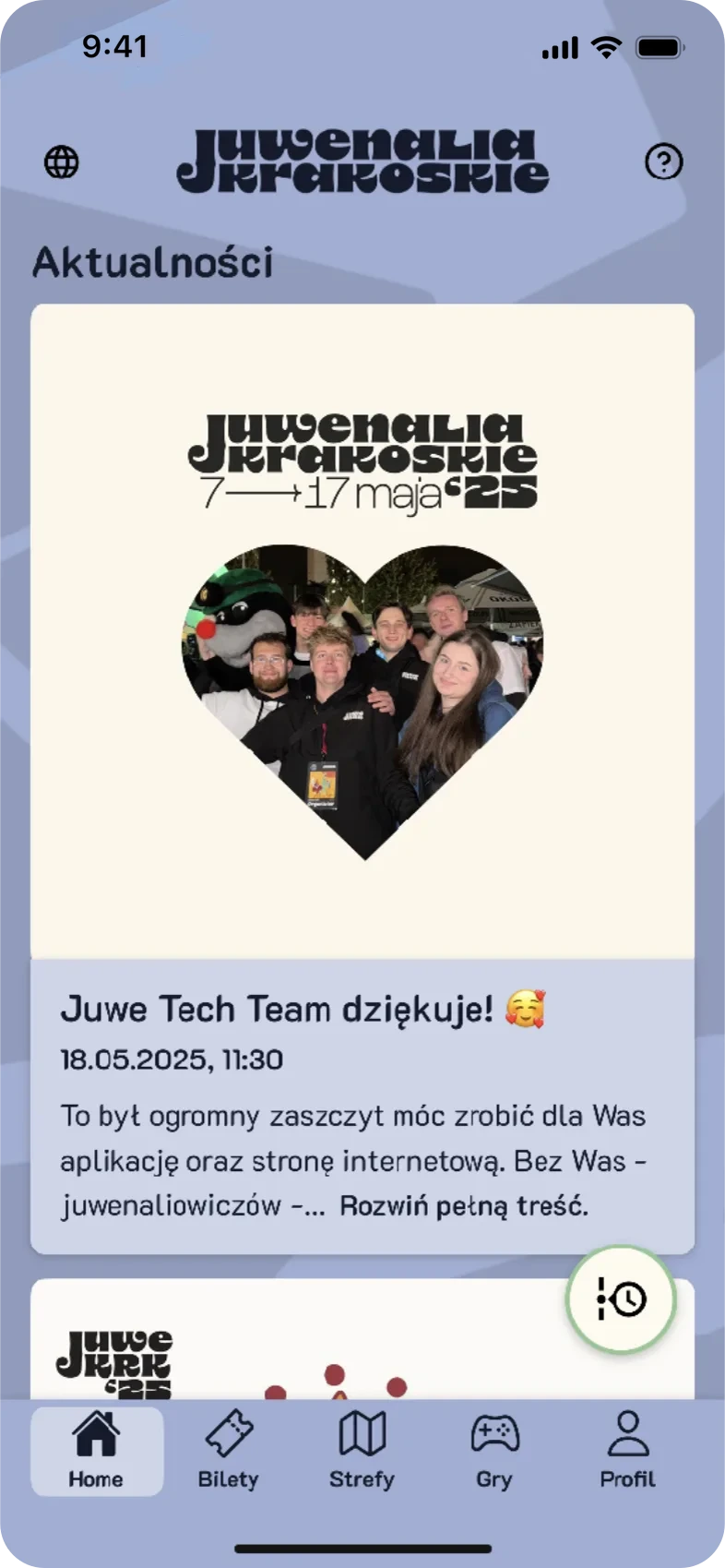
Pros
- One news card at a time, nothing competing for attention
Cons
- Only a news feed, and the first card alone fills most of the screen
- No shortcuts to zones, events or the schedule from the home screen
- The schedule button only appeared on scroll, in the same colour as the background behind it
What shipped, and why
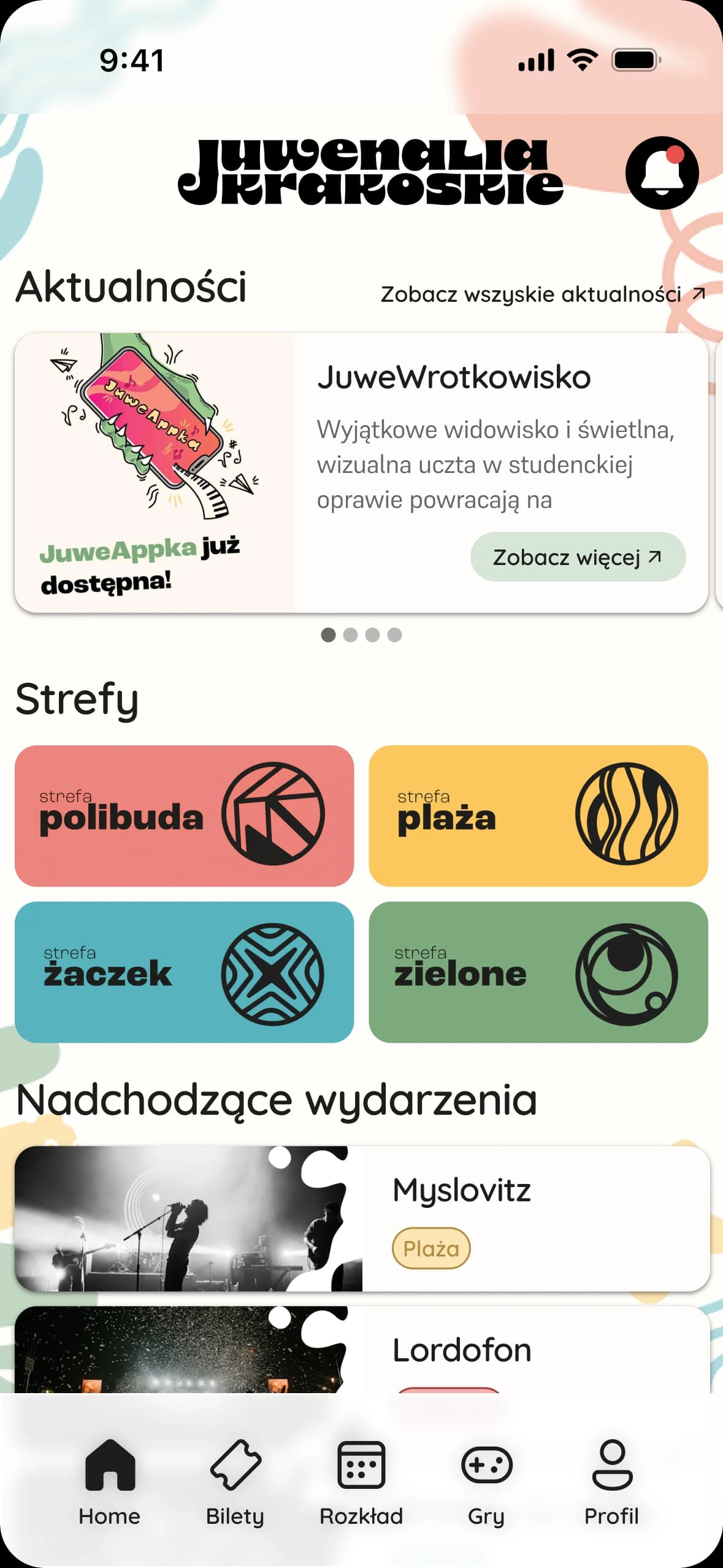
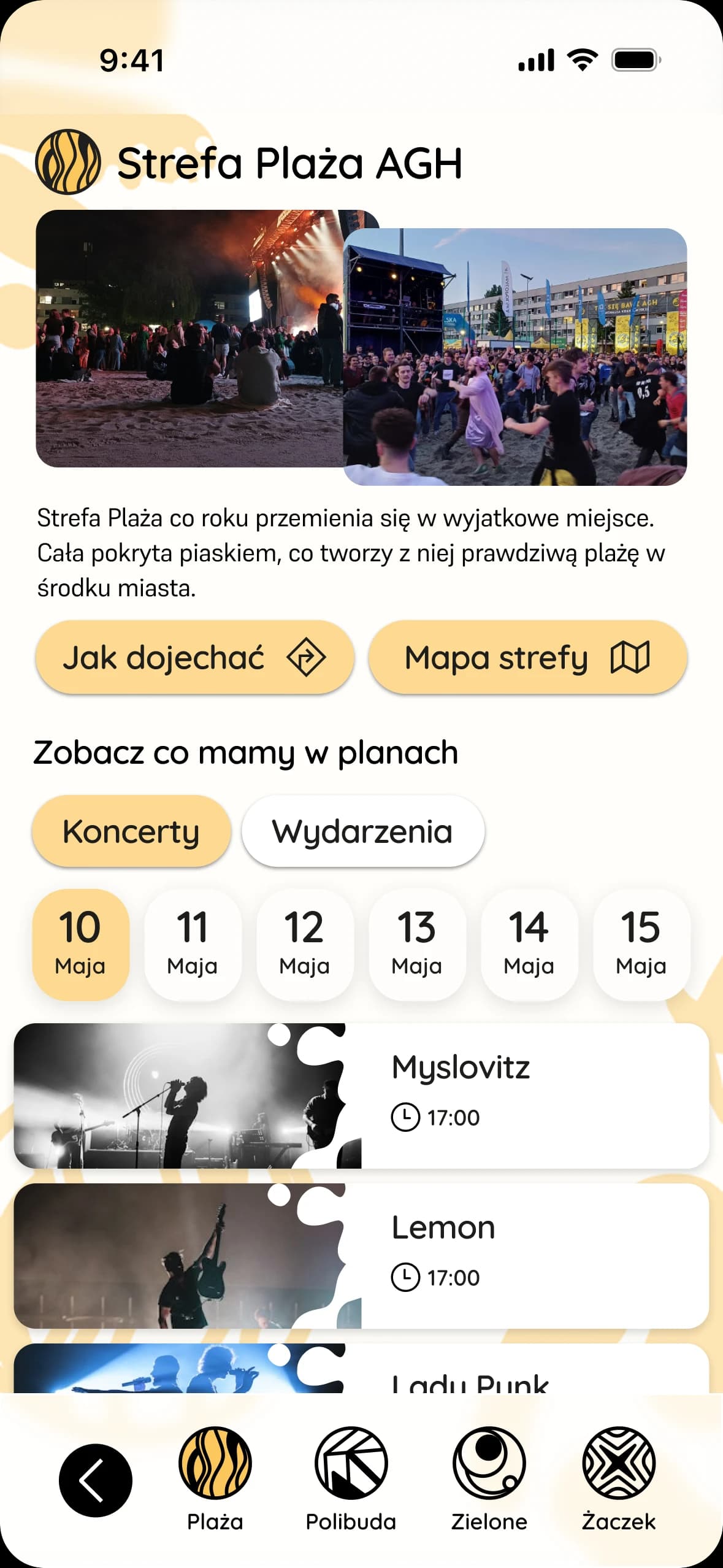
Clear, intuitive and playful style solution
Why these solutions?
- We tested every option with target users, then chose and iterated based on their feedback and results.
- The festival hub homepage worked best and offered the most valuable features.
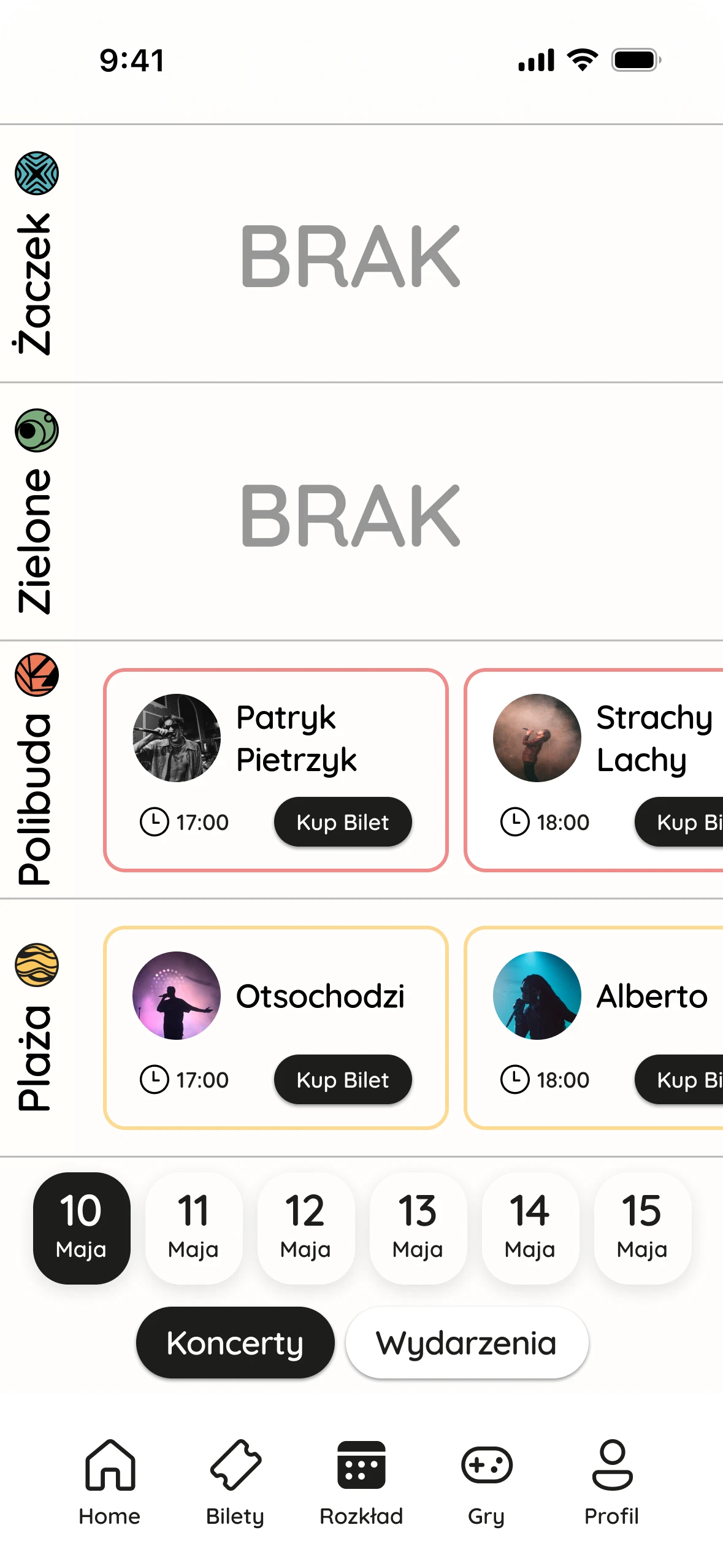
- The schedule got its own tab in the navbar, one tap away from any screen.
- The horizontal schedule made every festival event easy to browse, and it both performed and rated best.
- Users missed the filters among the action buttons, so we split them into a clearer layout and shipped it.
What changed
The results and what I delivered
4.9from 35k usersAverage rating across all devices.
75%found it more intuitiveInternal student research with users of last year's app.
What I delivered
- Every app screen and 7+ user flows, with every edge case and error state
- A design system of 60+ components for engineers
- Led the design team and kept PM and engineering in sync
- Shipped everything before the deadline, working closely with engineering through the last round of testing